macOS Native App

Monitor your Claude Code
agents at work

A unified interface to watch AI coding agents work on your code. Manage Git repositories, review changes, run terminals, and chat with agents — all in one place.

Requires macOS 14.0 or later

App Screenshot

Works with your favorite AI coding agents

Everything you need to work with AI agents

Built for developers who want full visibility and control over their AI coding assistants.

Multi-Agent Monitoring

Watch multiple AI agents work simultaneously. See real-time status, progress, and actions as they happen.

Git Integration

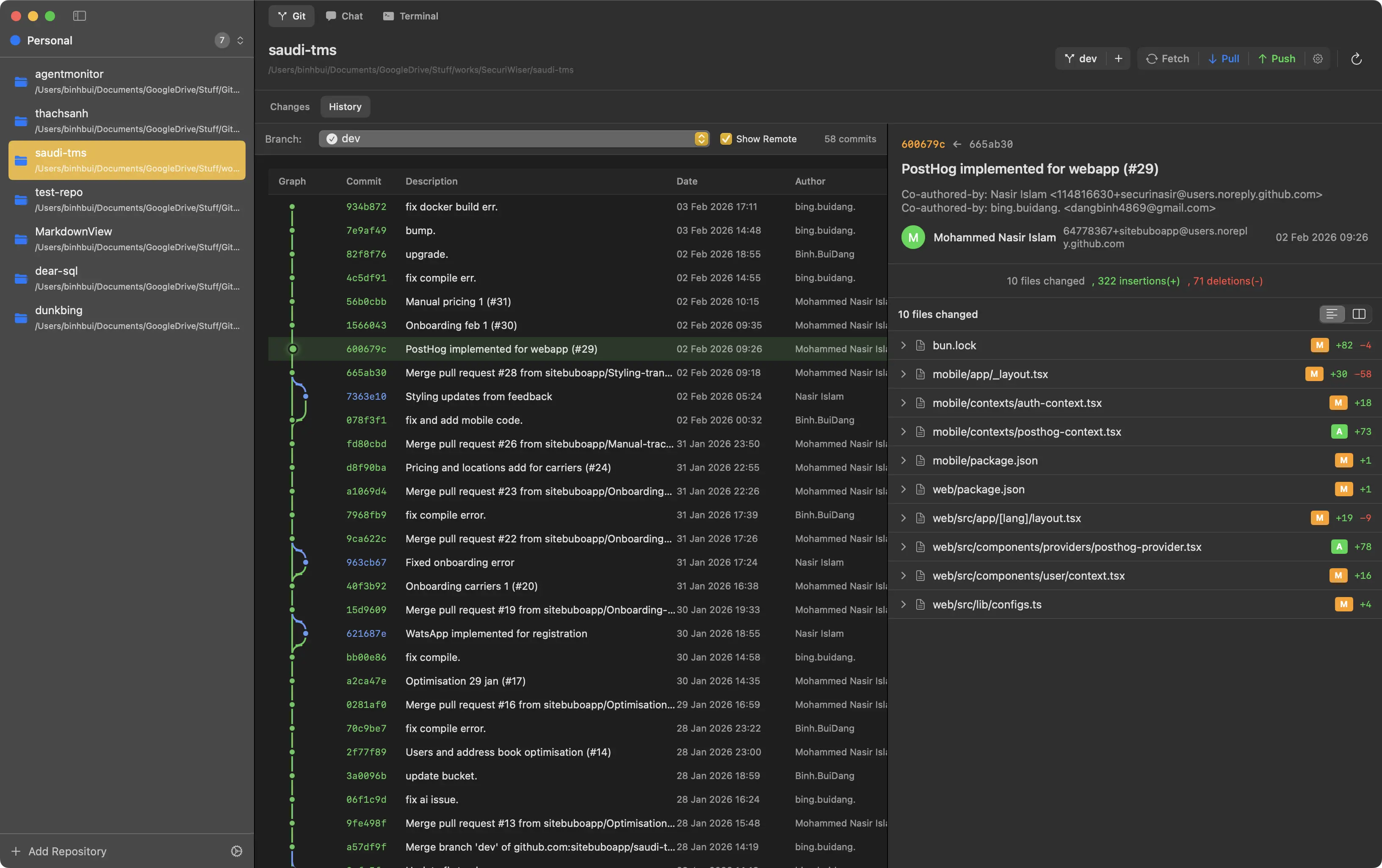
Full Git client built-in. View diffs, stage changes, commit, and manage branches without leaving the app.

Integrated Terminal

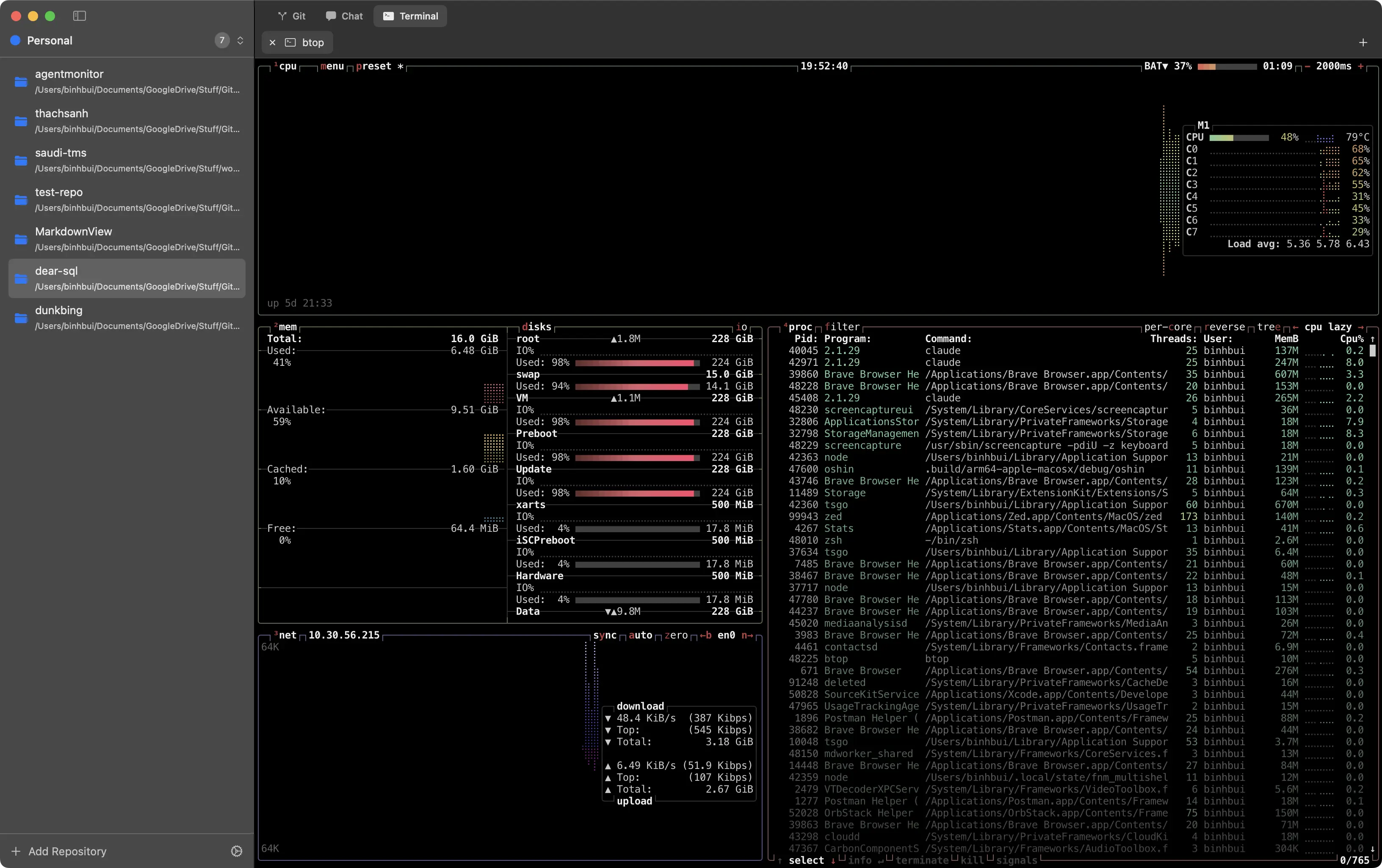
Powered by Ghostty. Run commands, view build output, and manage multiple terminal sessions per project.

Diff Visualization

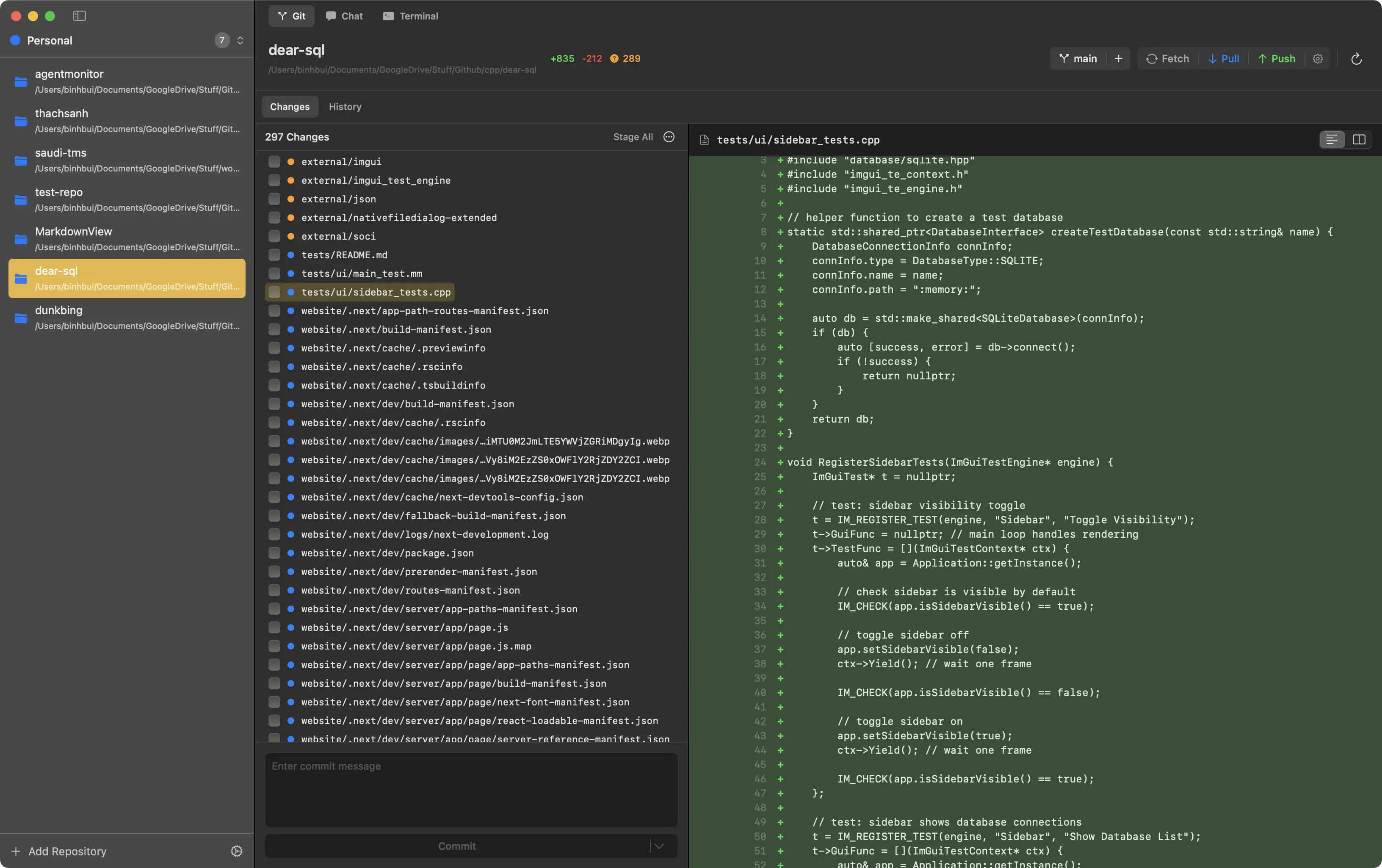
Review agent modifications with unified and split diff views. See exactly what changed before committing.

Chat Interface

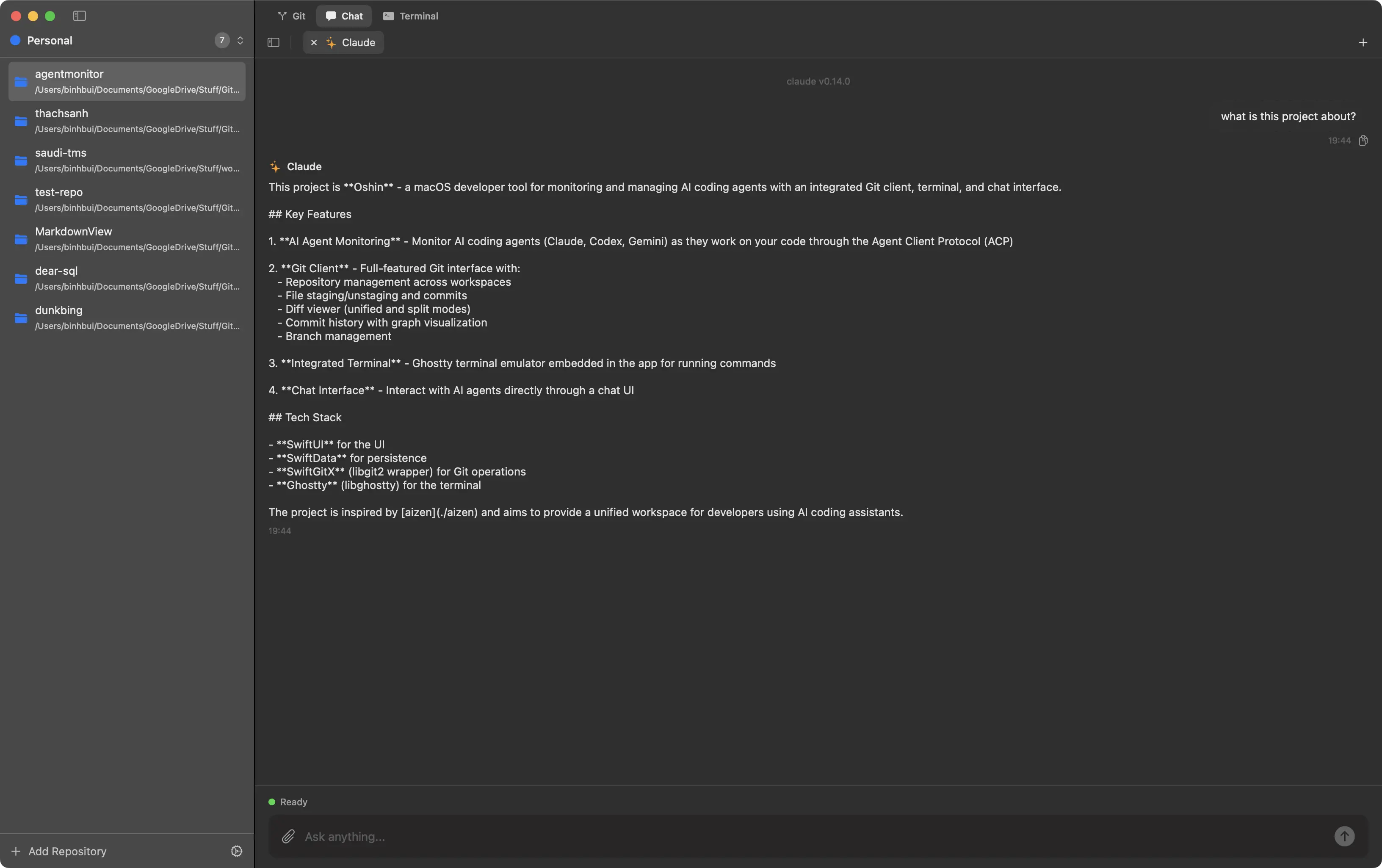
Send instructions and guide agent work through direct communication. ACP protocol support built-in.

Workspace Organization

Group repositories into workspaces. Switch contexts instantly and keep your projects organized.

Simple, powerful workflow

From prompt to commit in three steps.

1

Select your repository

Add your Git repositories to a workspace. Oshin tracks changes across all your projects.

2

Work with your agent

Chat with Claude, Codex, or Gemini. Watch them work in real-time through the monitoring interface.

3

Review and commit

See all changes in the diff viewer. Stage what you want, commit when ready, and push to remote.

Git Diff View

Ready to take control?

Download Oshin and see exactly what your AI agents are doing.

Download for macOS

Free and open source. Requires macOS 14.0+